Playbook + practice template · Free to use
Product variants SEO playbook
Align product identity, selectable variants, landing URLs and feed records.
Practice datasets are fictional and labeled as such. Real store captures are dated observations with their own sources and evidence limits.
Define the unit being sold
Use this playbook when size, color, material or pack options create ambiguous landing pages or duplicate records. Start with a parent product ID and the sellable variant IDs. A color family, a bundle and a different product model are not interchangeable groupings. Gather the catalog export, variant landing URLs, current feed and the visible product page.
The deliverable is a variant matrix that connects each item to its selected state, price and availability. Work on one product family first. A rule that works for a T-shirt may fail for a configurable laptop with compatibility-dependent options.
Real store observation
Nike: product identity across color variants
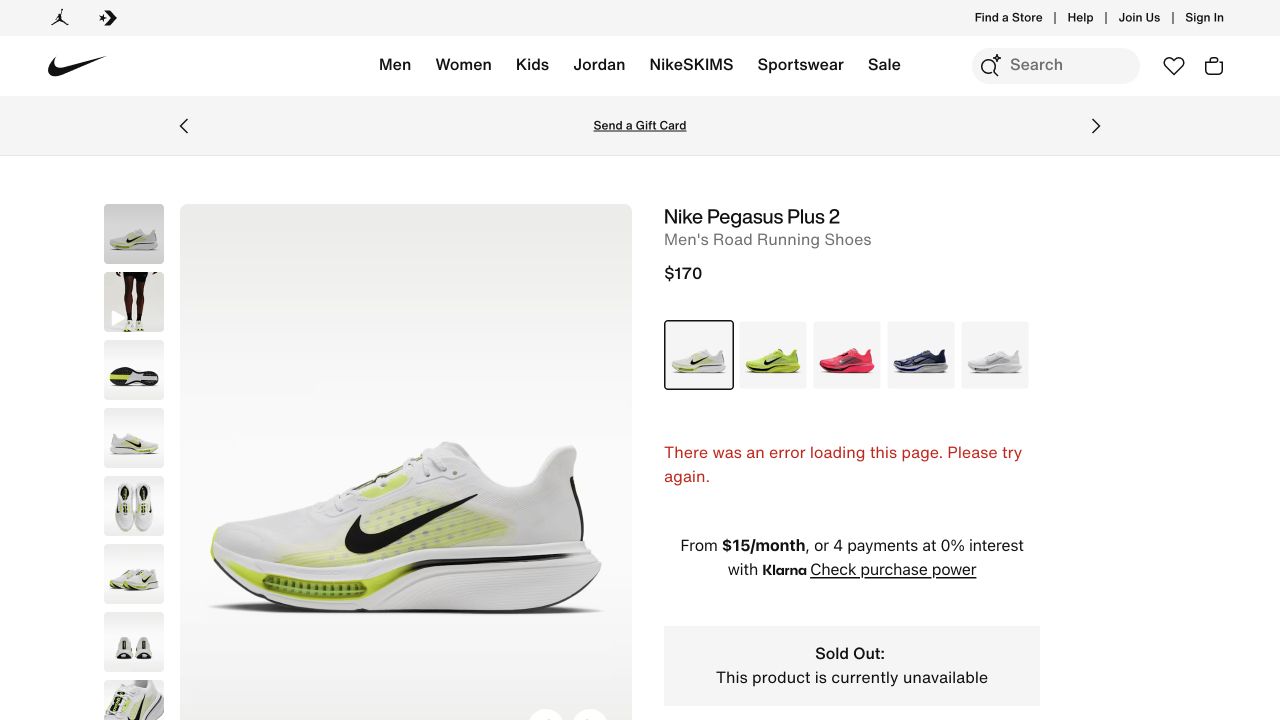
- The model name and product type establish what is being offered before a shopper chooses a color.
- The gallery provides multiple views of the same item; the swatches are separate navigable choices.
- A loading error is visible in this session. The simultaneous Sold Out message is not sufficient evidence of actual inventory.
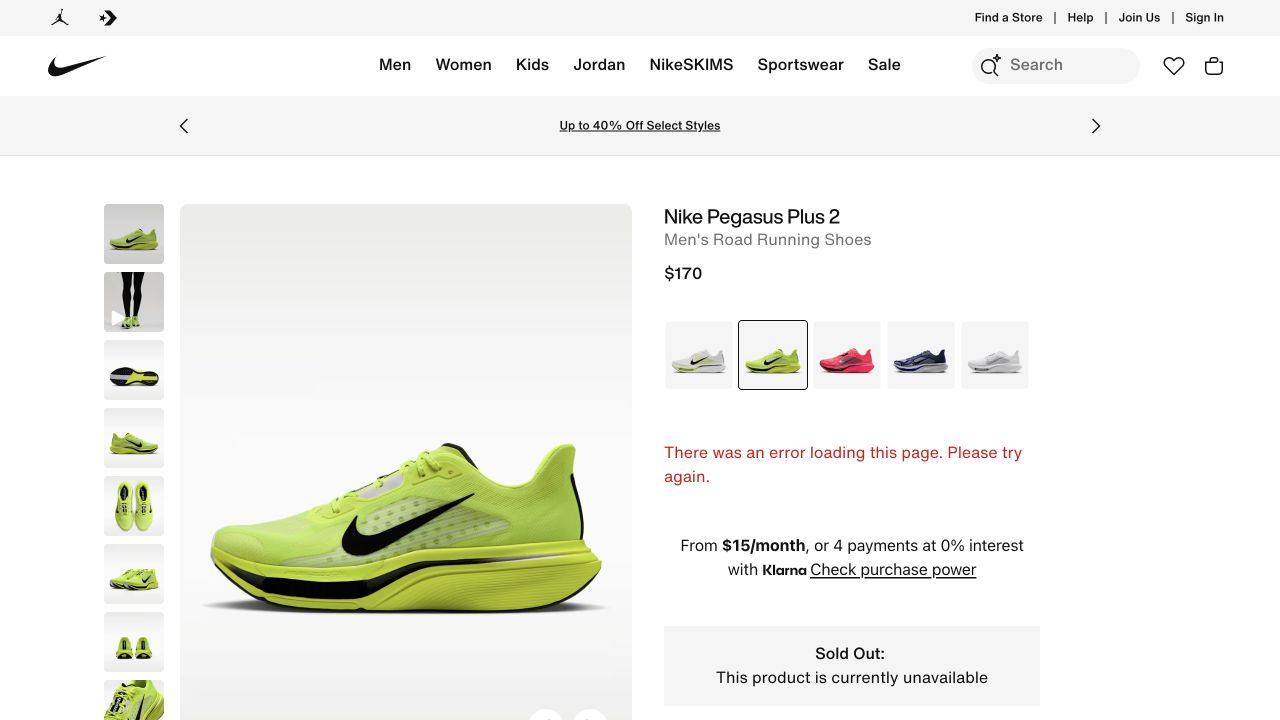
- The color selection changes the style suffix from IM2541-101 to IM2541-700.
- The observed price remains $170; do not assume other colors or markets share that price.
- Record identity and selection separately from availability, which remains uncertain because the error persists.
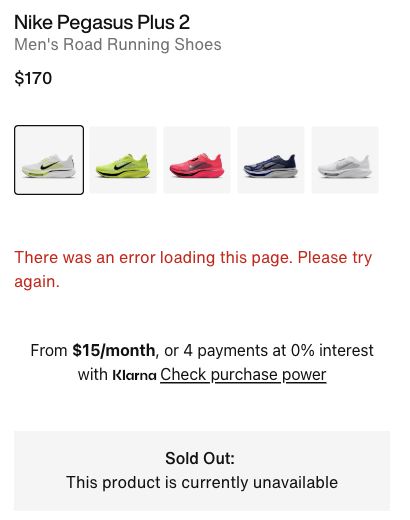
- A customer cannot confidently infer whether the product is truly unavailable or the offer failed to load.
- An analyst should record both messages, the URL and the observation time.
- Actual inventory needs a separate source before a lifecycle decision is made.
Independent educational analysis of Nike’s public page. No client relationship or endorsement is implied.
Evidence limits. Public interface observation only. No canonical, indexation, structured-data, conversion or private feed audit was performed. The page reported a loading error; actual stock was not confirmed.
Build the identity matrix
Record item ID, group ID, distinguishing attributes, landing URL, visible selection, image, price, currency and availability. Open each URL in a fresh session. If every blue-size URL opens the default red item, the address exists but does not preserve the intended shopping state.
Separate a URL used to select an offer from a URL intended to be independently indexed. Canonical policy requires a content and URL decision; it is not a substitute for preserving the correct variant when a shopper arrives from a product listing. Inspect the output rather than assuming a platform default.
| Item | Group | Landing selection | Offer |
|---|---|---|---|
| TS-B-S | TS | Blue / Small | 29 USD / in stock |
| TS-B-M | TS | Blue / Medium | 29 USD / out of stock |
| TS-R-S | TS | Red / Small | 32 USD / in stock |
Define the contract between a feed row and a product page
Treat each sellable variant as a traceable record. Start with the catalog item ID and group ID, then connect that record to its submitted link, selected options, image, price, currency and availability. Preserve IDs through ordinary price and stock changes. A product family is not a substitute for an individual offer when size or color changes what can be purchased.
Separate three questions in the review: which item the URL selects, which URL represents the page for search, and which products the structured data describes. They are related but not interchangeable. Google’s single-page variant approach uses one canonical for the group; its multiple-page approach has no single group canonical. Choose the model that matches the implemented site rather than imposing one canonical rule on every variant architecture.
Use the dated Nike capture above to practice identifying a selected color, product identity and the limits of visible availability. It does not establish Nike’s feed values or canonical strategy. Those require separate evidence. For your own store, append the actual feed row and page output to the same record so the reviewer can distinguish observed agreement from an assumption.
| Layer | Record | Failure to investigate |
|---|---|---|
| Catalog | Sellable ID, group, color and size | Two different items share an ID or a bundle is grouped as a simple variant |
| Submitted link | Full URL including selection parameters | Direct entry falls back to the default color or size |
| Visible offer | Selected options, image, price and currency | Selection label changes but image or price remains stale |
| Purchase path | Cart item identity and quantity | The correct-looking page adds a different SKU |
| Search representation | Canonical and variant markup from the actual page | Markup describes a different selected offer or the intended model is unclear |
Test the complete variant journey
Open a supplied variant link, note the selected controls and compare the displayed price with the feed row. Change exactly one attribute and record the resulting URL and offer. Reload it, then use Back. The page should not silently switch to another size or price while retaining the original promise.
Inspect product markup separately from the screenshot. Match the item represented in markup to the visible variant or product group and the published feed. Validate supported fields with current documentation and testing tools. A technically valid JSON object can still describe the wrong offer.
- Choose an in-stock variant, an unavailable variant and a differently priced variant.
- Capture each selected state with its final URL.
- Check image, price, currency and availability against the catalog.
- Inspect canonical and structured data as separate evidence.
- Record the exact mismatch and the component responsible for it.
Run a repeatable selection test
Test in a fresh browser session for the target market. Record locale, currency and any consent or location choice that affects the result. Enter the exact submitted URL directly before using the selector; this exposes links that work only after a visitor has previously chosen an option. Retain screenshots of the selected state alongside text records of the URL and item ID.
On a store you control, add a purchasable test variant to the cart and inspect its identity without placing an order. On a third-party example, limit the exercise to what you actually observe and label any untested purchase behavior. If a script error or location block interrupts the test, preserve that evidence and retry under documented conditions before classifying the product as unavailable.
| Action | Expected result | What to retain |
|---|---|---|
| Open the blue-medium URL directly | Blue and medium selected; matching image, price and availability | Full URL and initial selected state |
| Change only the size | Color preserved; size-dependent offer updated | Before/after option values and item identity |
| Reload the resulting URL | Intended selection can be recovered | Reloaded state, including any fallback |
| Use browser back | A coherent prior selection is restored | Actual behavior; do not assume URL history is implemented |
| Add an available variant to cart on your own store | Cart contains that exact sellable item | Cart SKU/options and price; no purchase required |
| Open an unavailable variant | Unavailable choice is clearly communicated | Whether ordering is blocked or a valid backorder offer is made |
Worked repair: blue medium opens red small
The fictional feed correctly contains TS-B-M, but its link opens the parent product with red small selected. The page shows 32 USD and an active purchase button while the row says 29 USD and out of stock. Changing the feed title alone cannot repair that mismatch.
The implementation ticket requires a landing URL that selects blue medium, preserves its 29 USD price and shows the unavailable state. After the fix, the reviewer tests direct entry, reload and switching to blue small. The feed keeps the stable item ID so reporting does not treat the same product as a new item.
Worked repair ticket: blue medium opens red small
Fictional incident. The catalog identifies TS-B-M as blue, medium, USD 29 and out of stock. Its feed link is /shirts/trail?variant=TS-B-M. In a fresh session, the page shows red, small and USD 32. The URL retains the blue-medium parameter. This evidence points to selection initialization for investigation; it does not prove that the feed price should be changed to 32.
Ticket: initialize the selected sellable item from a recognized variant parameter before presenting the offer. Update image, price, availability and selector labels from that same record. For an unrecognized ID, provide an explicit recoverable state rather than silently presenting a different item as if it matched the link. The developer should trace whether the parameter is discarded by routing, ignored by client state, or overwritten by a saved preference before selecting the repair.
Acceptance uses three fixtures: TS-B-M restores blue/medium, 29 and unavailable; TS-R-S restores red/small, 32 and available; an unknown ID produces the agreed fallback. Repeat direct entry and reload, then test a normal selector change. Verify the affected structured data separately. Include an unaffected product family as a regression check and record which component changed.
Close only after the deployed URL passes, not when a local screenshot looks right. Retain the failing and passing records with timestamps. If a rollback is needed, restore the prior component version and keep the mismatched feed item out of an active promotion until its destination is reliable; a rollback is not evidence that the customer-facing issue is resolved.
Do not confuse alternatives with variants
A newer shoe model is a successor, not another color of the old model. A bundle with a charger changes what is included. Record those differences before assigning a group or comparing prices. Otherwise a cheaper accessory, refurbished item or different generation can look like an equivalent offer.
If a variant is temporarily unavailable while siblings remain in stock, do not retire the entire parent page automatically. Maintain accurate selection and availability and show genuine options. Where the browser shows an error alongside an unavailable notice, record uncertainty and recheck inventory before deciding that the stock state is real.
Distinguish unavailable, backordered and unknown
A disabled size is evidence about that option, not the entire family. A sold-out label beside a loading error is weaker evidence than a completed, consistent selection state. Keep “unknown because the interface failed” available as a finding. That distinction is why the Nike capture remains useful even though it cannot prove inventory.
For Merchant Center availability, out_of_stock means orders are not accepted. Backorder applies to an existing product that can be ordered for later dispatch; preorder applies to a new product not yet released. The latter two require an availability date. Align the offer, landing page and purchase path with the actual ordering policy rather than using a more attractive status to conceal a delay.
| Evidence | Decision | Next verification |
|---|---|---|
| Medium unavailable; small can be ordered | Retain the family and represent variant-level availability | Check both direct-entry URLs and submitted rows |
| Existing item orderable with a future availability date | Evaluate backorder against the actual fulfillment policy | Confirm the date and ordering terms are visible |
| Product UI fails before selection completes | Availability remains unverified | Repeat the observation and investigate the runtime failure |
| A successor has different identity or specifications | Treat it as a separate product | Review lifecycle handling rather than merging variant IDs |
Complete and review your matrix
Practice: a family has a black 128 GB device, a black 256 GB device and a black 128 GB device bundled with a case. Prices differ. Decide which attributes and inclusions must appear in the matrix and which offers can be compared as equivalent.
Worked answer: storage capacity must distinguish the first two; the case bundle needs an explicit inclusion difference. Verify model and condition before grouping. Pass when each feed row opens its promised offer and a second reviewer can distinguish products without relying on the image alone. Recheck after import rules, themes or feed mappings change.
Sources and maintenance
Check current platform documentation before implementation. Review these instructions when your platform, catalog behavior or source guidance changes.